In today's competitive digital landscape, having a visually attractive website is not enough to achieve strong search engine rankings. Website performance, loading speed, responsiveness, and user experience also play important roles in determining how visitors interact with a website. This is where Core Web Vitals and SEO become essential for businesses looking to improve their online visibility.
Google introduced Core Web Vitals to measure important aspects of real-world user experience. These performance metrics help website owners understand whether their pages load efficiently, respond quickly to user interactions, and maintain visual stability.
A website that provides a smooth browsing experience can improve visitor satisfaction, encourage engagement, and support overall SEO performance. Understanding and optimizing Core Web Vitals is therefore an important part of a successful technical SEO strategy.
What Are Core Web Vitals?
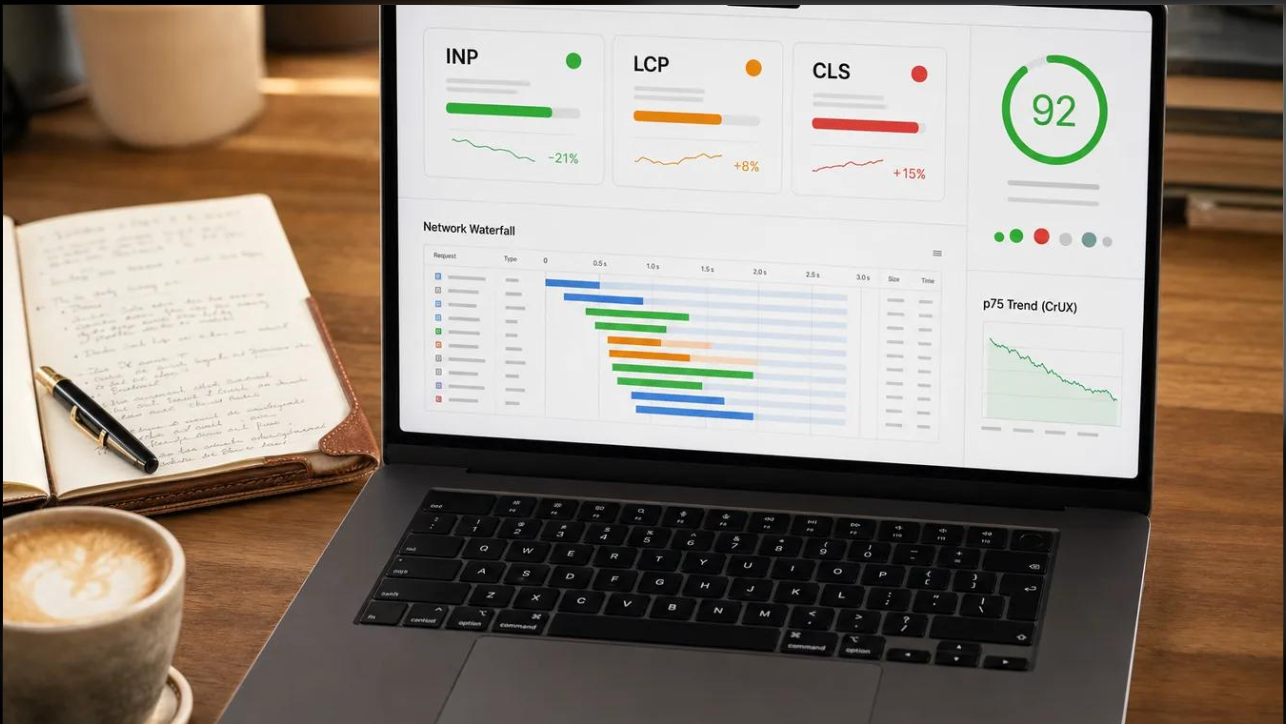
Core Web Vitals are a collection of performance metrics developed by Google to evaluate the user experience of a website. They focus on three major aspects: loading performance, interactivity, and visual stability.
These metrics help website owners identify technical issues that may affect visitors while browsing their pages.
The three main Core Web Vitals are:
-
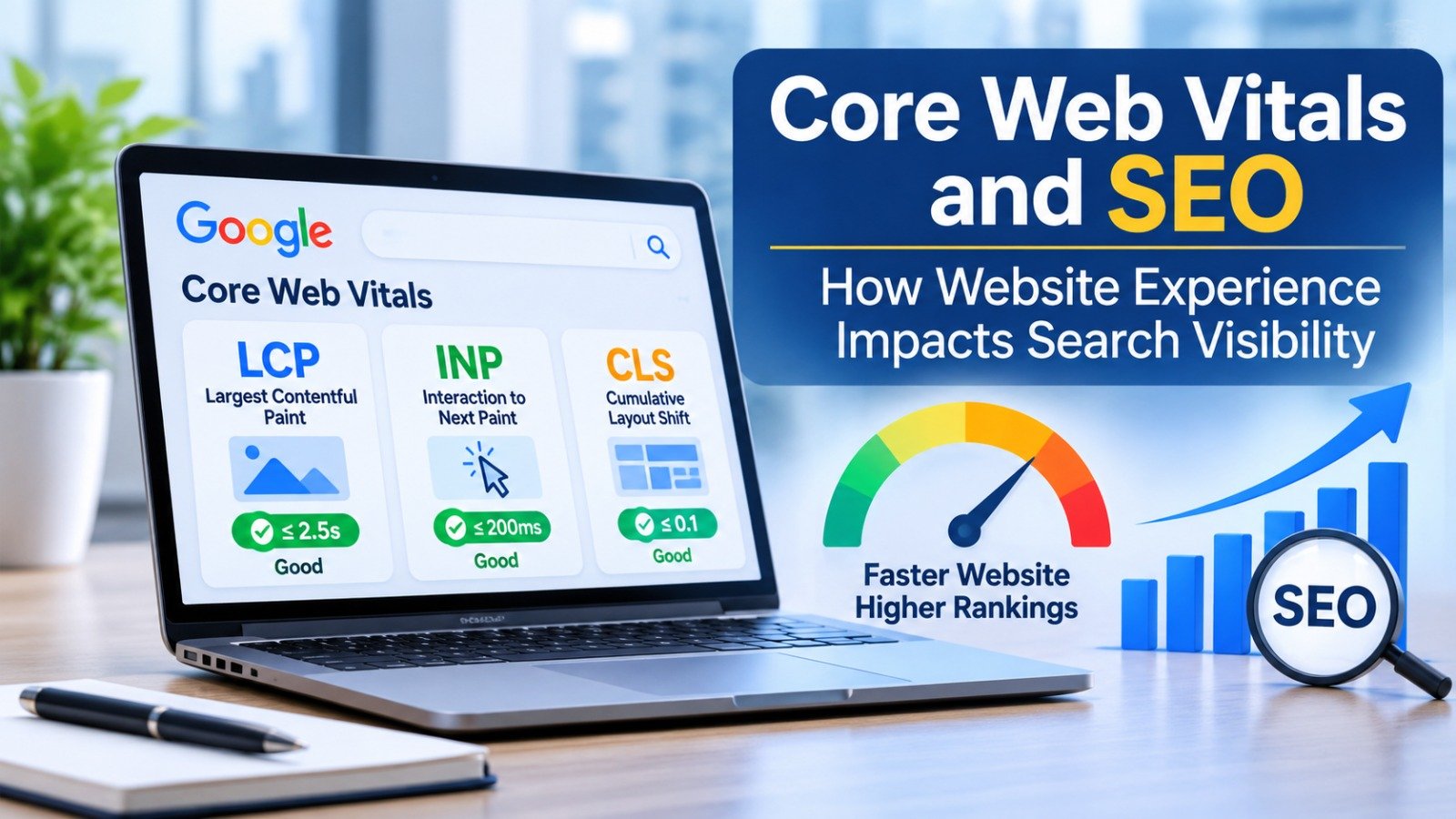
Largest Contentful Paint (LCP): Measures how quickly the main content of a webpage becomes visible.
-
Interaction to Next Paint (INP): Measures how quickly a webpage responds to user interactions such as clicks, taps, and keyboard inputs.
-
Cumulative Layout Shift (CLS): Measures unexpected movements of webpage elements while the page loads or during user interaction.
Google recommends achieving good scores across all three metrics to provide a better browsing experience.
Understanding the Three Core Web Vitals Metrics
1. Largest Contentful Paint (LCP)
Largest Contentful Paint measures the loading performance of a webpage by tracking how long it takes for the largest visible content element to appear.
This element is commonly a large image, video, banner, or heading section.
A slow-loading webpage can frustrate visitors and increase the chances that they leave before accessing the information they need.
Google's recommended LCP threshold:
-
Good: 2.5 seconds or less.
-
Needs Improvement: More than 2.5 seconds and up to 4 seconds.
-
Poor: More than 4 seconds.
How to improve LCP:
-
Compress and optimize website images.
-
Use modern image formats such as WebP and AVIF.
-
Improve server response time.
-
Implement browser caching.
-
Use a Content Delivery Network (CDN).
-
Reduce unnecessary render-blocking resources.
Improving LCP helps visitors access important website content faster, creating a more efficient browsing experience.
2. Interaction to Next Paint (INP)
Interaction to Next Paint measures how quickly a webpage responds when visitors interact with its elements.
For example, when someone clicks a navigation button, submits a contact form, or opens a dropdown menu, the website should respond without noticeable delay.
Poor responsiveness can make a website feel slow, even when the initial page loading time is good.
Google's recommended INP threshold:
-
Good: 200 milliseconds or less.
-
Needs Improvement: More than 200 milliseconds and up to 500 milliseconds.
-
Poor: More than 500 milliseconds.
How to improve INP:
-
Reduce unnecessary JavaScript execution.
-
Minimize long-running browser tasks.
-
Optimize event handlers.
-
Avoid excessive third-party scripts.
-
Break large JavaScript tasks into smaller tasks.
-
Improve the efficiency of interactive website elements.
A responsive website makes it easier for visitors to navigate pages, complete forms, and interact with business features.
3. Cumulative Layout Shift (CLS)
Cumulative Layout Shift measures the visual stability of a webpage. It identifies unexpected movements of content that occur while a page loads or during a visitor's browsing session.
For example, imagine a visitor trying to click a button, but an advertisement suddenly loads above it and pushes the button downward. This creates a frustrating experience.
Google's recommended CLS threshold:
-
Good: 0.1 or less.
-
Needs Improvement: More than 0.1 and up to 0.25.
-
Poor: More than 0.25.
How to improve CLS:
-
Specify width and height for images.
-
Reserve appropriate space for advertisements.
-
Avoid inserting unexpected content above existing elements.
-
Use properly sized embedded media.
-
Optimize font loading.
-
Maintain consistent page layouts.
Reducing unexpected layout shifts helps visitors interact with website elements comfortably and confidently.
How Do Core Web Vitals Affect SEO and Google Rankings?
Core Web Vitals and SEO are closely connected because website experience is one of the factors considered within Google's broader page experience systems.
However, Core Web Vitals should not be treated as a shortcut to higher rankings. Google uses multiple ranking systems and signals to determine which pages are most relevant and useful for a search query.
Here are some important ways website performance can support SEO.
1. Improves User Experience
A fast and responsive website allows visitors to find information without unnecessary delays.
When users can easily navigate a website, access content, and interact with its features, the overall browsing experience becomes more satisfying.
A positive user experience supports the effectiveness of other SEO efforts.
2. Supports Mobile SEO Performance
Most internet users access websites through smartphones. A website that performs well on desktop but loads slowly on mobile may create problems for a significant portion of its audience.
Mobile optimization includes responsive design, compressed images, efficient scripts, and properly structured content.
Monitoring Core Web Vitals across mobile and desktop devices helps identify performance issues affecting different visitors.
3. Reduces Technical Performance Issues
Technical SEO involves optimizing the infrastructure and functionality of a website so search engines can access and understand its content effectively.
Poor website performance can indicate problems such as inefficient scripts, slow server responses, and unoptimized resources.
Addressing these issues can improve website usability and support a stronger technical SEO foundation.
4. Supports Visitor Engagement and Conversions
Website speed and usability can influence how visitors interact with business websites.
For example, a slow e-commerce website may discourage customers from exploring products or completing purchases. Similarly, an unresponsive service website may prevent potential customers from submitting enquiry forms.
Optimizing performance can create a smoother journey from website discovery to conversion.
5. Strengthens Overall Page Experience
Google aims to provide users with relevant and useful search results. Website owners should therefore focus on both content quality and page experience.
Core Web Vitals contribute to this broader experience by measuring how efficiently visitors can access and interact with website content.
Strong performance combined with useful information, relevant keywords, and good website structure creates a more effective SEO strategy.
Best Practices to Improve Core Web Vitals
Improving website performance requires regular monitoring and technical optimization. Businesses can follow these practices to strengthen their Core Web Vitals scores.
1. Optimize Website Images
Large image files can increase page loading times. Compress images without sacrificing quality and use modern formats such as WebP or AVIF.
2. Choose Reliable Web Hosting
A reliable hosting provider can help improve server response times and website availability. Businesses should select hosting solutions that match their website traffic and technical requirements.
3. Minimize Unnecessary Plugins
Too many plugins can introduce additional scripts, stylesheets, and processing requirements. Regularly review installed plugins and remove those that are no longer needed.
4. Implement Browser Caching
Browser caching allows frequently used website resources to be stored locally. This reduces repeated downloads and can improve loading performance for returning visitors.
5. Reduce JavaScript and CSS
Unnecessary code can delay rendering and interfere with website responsiveness. Minifying CSS and JavaScript and removing unused resources can improve performance.
6. Use a Content Delivery Network
A CDN distributes website resources through servers located in different geographical regions. This can reduce the distance between visitors and website resources, improving content delivery.
7. Prioritize Mobile Optimization
Test website layouts, navigation, images, and interactive elements on different mobile screen sizes. Ensure that important content and functionality remain accessible.
Tools to Measure and Monitor Core Web Vitals
Website owners can use several tools to evaluate performance and identify areas that need improvement.
Google PageSpeed Insights
PageSpeed Insights provides performance reports for mobile and desktop devices. It combines real-world user experience data, when available, with laboratory testing and optimization recommendations.
Google Search Console
The Core Web Vitals report in Google Search Console helps website owners identify URL groups categorized as Good, Needs Improvement, or Poor.
Chrome Lighthouse
Lighthouse provides automated website audits covering performance, accessibility, SEO, and best practices. It is useful for identifying technical problems during website development and optimization.
Chrome DevTools
Chrome DevTools allows developers to inspect webpage performance, investigate JavaScript issues, and diagnose layout shifts.
Using these tools regularly helps businesses understand website performance and prioritize improvements.
Common Core Web Vitals Mistakes Businesses Should Avoid
Even businesses investing in SEO sometimes overlook important website performance issues.
Some common mistakes include:
-
Uploading large, uncompressed images.
-
Using excessive animations and visual effects.
-
Installing unnecessary plugins.
-
Ignoring mobile website performance.
-
Loading too many third-party scripts.
-
Failing to reserve space for images and advertisements.
-
Checking performance only once instead of monitoring it regularly.
Avoiding these mistakes can help maintain a more reliable and user-friendly website.
Why Businesses Should Prioritize Core Web Vitals
For modern businesses, a website is more than a digital presence. It is an important platform for attracting customers, generating leads, communicating brand value, and supporting business growth.
A poorly performing website can create unnecessary barriers between businesses and potential customers.
Prioritizing Core Web Vitals helps businesses build websites that load efficiently, respond smoothly, and provide consistent experiences across devices.
It also supports other digital marketing activities, including content marketing, organic search optimization, and conversion rate optimization.
Instead of focusing only on keyword rankings, businesses should consider website performance an ongoing part of their digital growth strategy.
Conclusion
Core Web Vitals and SEO play an important role in building a successful online presence. Website loading speed, responsiveness, and visual stability directly influence how visitors experience a webpage.
Although achieving good Core Web Vitals scores does not guarantee higher Google rankings, it supports a better page experience and contributes to a strong technical SEO foundation.
Businesses should regularly evaluate their websites, identify performance issues, optimize images and scripts, and improve mobile usability.
By combining high-quality content with effective technical optimization, businesses can create faster, more reliable websites that serve both users and search engines.
A better website experience is not just a technical improvement; it is an investment in long-term digital growth.
Frequently Asked Questions (FAQs)
1. What are Core Web Vitals in SEO?
Core Web Vitals are Google's user experience metrics that measure website loading performance, responsiveness, and visual stability. They help website owners understand how visitors experience their webpages.
2. Do Core Web Vitals directly affect Google rankings?
Core Web Vitals are part of Google's page experience considerations and are used by its ranking systems. However, good scores do not guarantee higher rankings because Google considers many other factors, including content relevance and quality.
3. What are the three main Core Web Vitals?
The three main metrics are Largest Contentful Paint (LCP), Interaction to Next Paint (INP), and Cumulative Layout Shift (CLS).
4. What is a good Core Web Vitals score?
Google recommends an LCP of 2.5 seconds or less, an INP of 200 milliseconds or less, and a CLS score of 0.1 or less.
5. How can I check my website's Core Web Vitals?
You can check website performance using Google PageSpeed Insights and Google Search Console. These tools provide performance measurements and recommendations for improvement.
6. How often should businesses monitor Core Web Vitals?
Businesses should monitor Core Web Vitals regularly, particularly after website redesigns, plugin updates, major content changes, or technical modifications.